Run the show.
All-in-one live event production software for Windows. Video playback, cue-based show control, presenter view, agenda screens, multi-output, ATEM, lighting, and Stream Deck — driven by one cue list.
As a freelance operator, this changed my rig overnight. I show up lighter, run bigger shows, and every cue is where I expect it.
I dropped everything I was using. CueSurge runs our Sunday services, midweek, and every special event now — one operator, one window.
Teleprompter, video playback, all in one!!!! Huge.
This software changed the way I run townhalls — so much easier. Plus the app is fire.
I run high-stakes events on the Hill — the pressure is real and I cannot afford a hiccup. CueSurge is the first show-control tool that fires exactly what I told it to, every single time. My whole rig moved over inside a week.
As a freelance operator, this changed my rig overnight. I show up lighter, run bigger shows, and every cue is where I expect it.
I dropped everything I was using. CueSurge runs our Sunday services, midweek, and every special event now — one operator, one window.
Teleprompter, video playback, all in one!!!! Huge.
This software changed the way I run townhalls — so much easier. Plus the app is fire.
I run high-stakes events on the Hill — the pressure is real and I cannot afford a hiccup. CueSurge is the first show-control tool that fires exactly what I told it to, every single time. My whole rig moved over inside a week.
One cue list. Every screen.
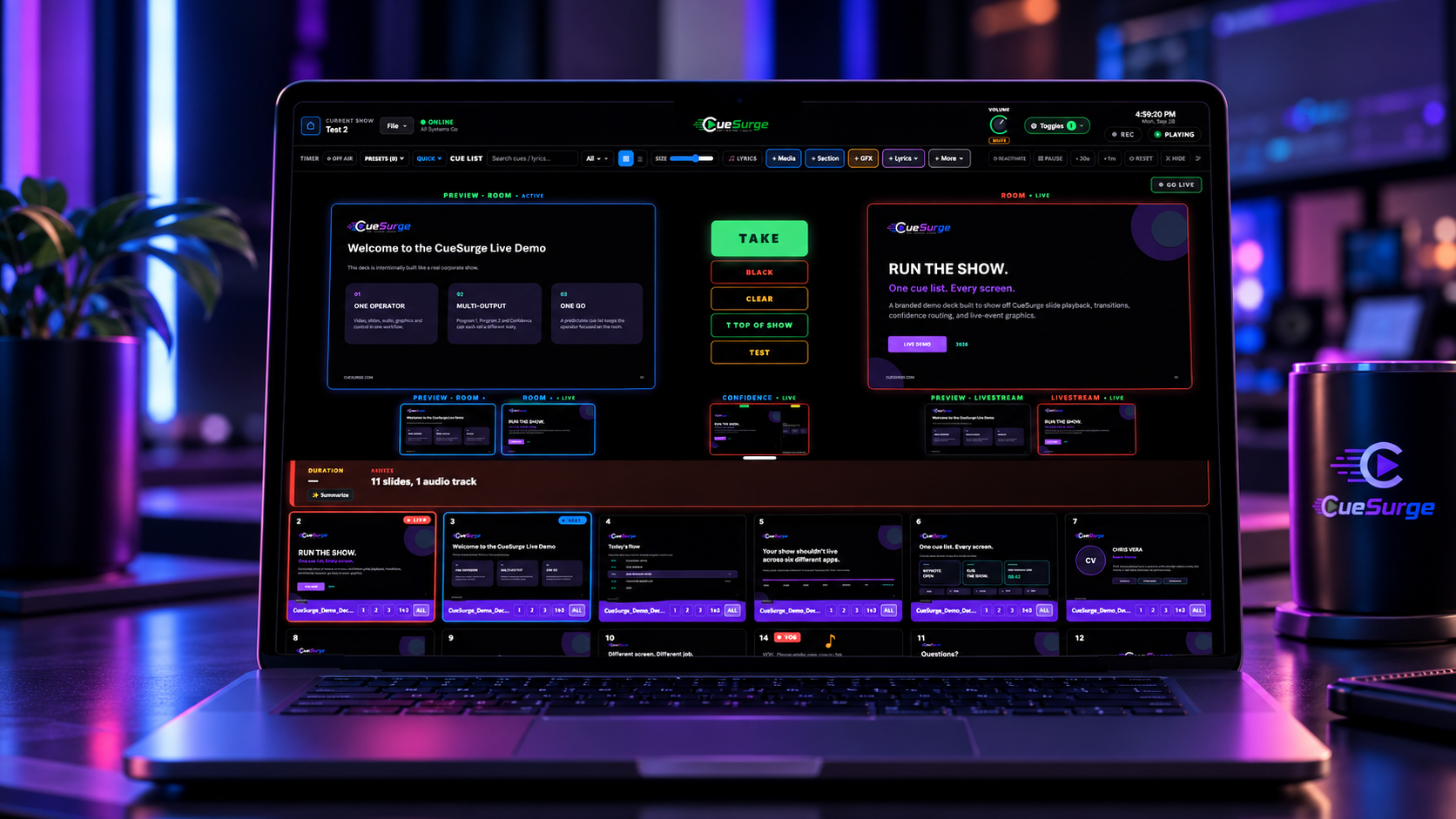
CueSurge brings every piece of a live show under a single operator window. Pro video playback to dedicated outputs. A unified cue list that fires media, slides, audio, graphics, lower-thirds, ATEM cuts, DMX lighting, and Stream Deck actions. Independent Program 1, Program 2, and Confidence buses. A live agenda screen that follows the run-of-show. A presenter view with timer and alerts. iPad + phone remotes. Built for corporate and live event operators who work on the cart.
Nobody runs a live show with one app.
An operator running a mid-sized event today is usually driving four to six pieces of software at once — a media server for video, a slide deck for graphics, an audio player for stings, ATEM Software Control for the switcher, a mixer surface for audio scenes, and something else for lighting or PTZ. Each has its own show file, its own remote, its own quirks. Cues span the apps but nothing spans the cues. The operator is the glue.
That’s the bug we’re fixing. When your GO button lives in your head instead of on a screen, one missed handoff — a video that fires a beat late, a mic that goes hot on the wrong line, a slide that lags the speaker — becomes the whole audience’s memory of the show. And the more windows you’re taxiing between, the more likely that miss becomes. It’s a structural problem, not a discipline problem.
CueSurge is one operator window that fires everything. Video, slides, audio, ATEM cuts, mixer scenes, DMX, PTZ, Stream Deck — all as cues in a single list, all with the same GO, all with the same predictable behavior. The rig you’re actually working on gets smaller even as it does more.
Built by an operator, not for one. It’s being written by someone running it on their own shows — every feature exists because a real cue on a real gig needed it, not because a competitor had a checkbox. The priority list has never been “match QLab feature-for-feature.” It’s been “the thing that would have saved that show last Thursday.”
One price, per device, forever. A freelancer with one laptop pays for one license. A shop with ten operators pays for ten. No feature tiers, no per-cue fees, no seats-per-show gotchas. If we can’t earn our keep from the people we’re saving from an app-juggling nightmare, we don’t deserve to.
Fire cues from your Stream Deck.
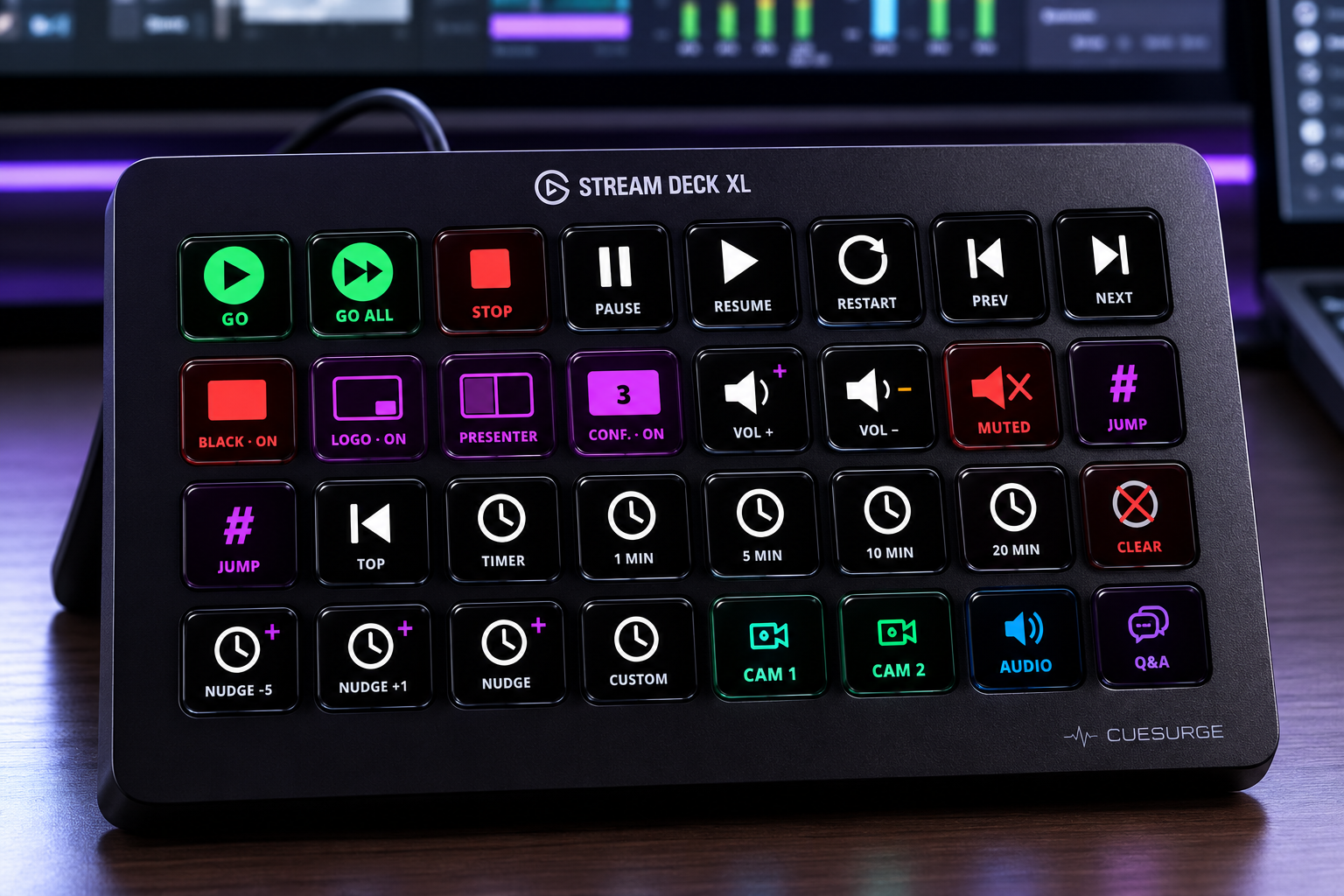
Official Elgato plugin — GO, transport, quick timers, output overrides, master volume, and Jump-to-cue. Live key titles pull from your CueSurge cue list, so every key knows exactly what it fires.
- ✓GO / GO ALL / Stop / Pause / Resume / Prev / Next
- ✓Black Screen · Logo · Presenter · Confidence overrides
- ✓Master Vol + / − with live dB, Mute kill
- ✓Jump-to-cue by number or name, autocomplete from your cue list
- ✓Auto-connects on the same machine — no config
Prompt from any screen. Fire from the cue list.
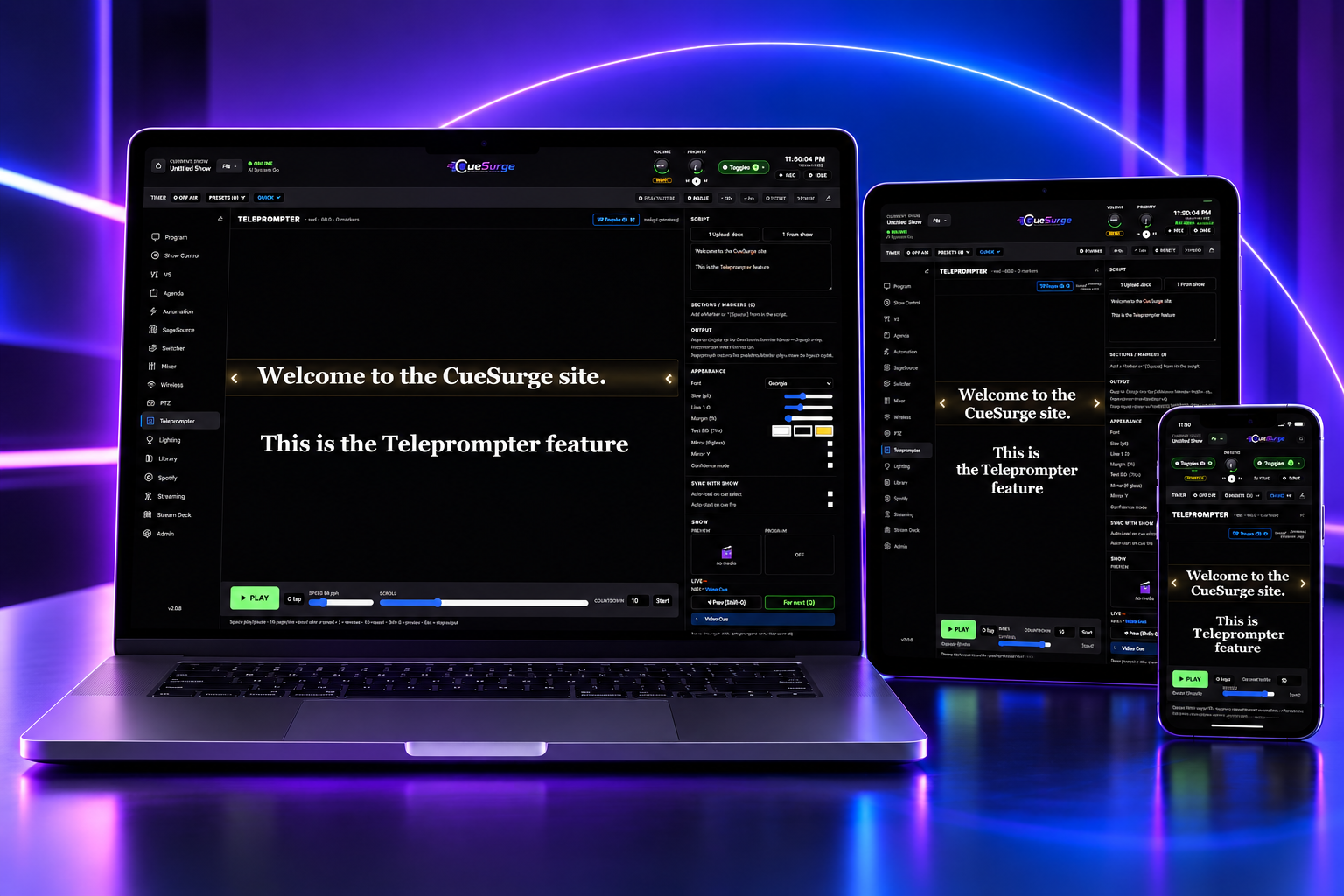
Big readable text with section markers. Drop the prompter on a laptop at front-of-house, an iPad on the podium, or a phone in the presenter's hand — same script, same scroll, same GO.
- ✓Auto-jump to a cue's linked marker when the cue fires
- ✓Adjustable font, line height, and margins for prompter glass
- ✓Mirror H / V for a physical teleprompter rig
- ✓Runs on laptop, iPad, and iPhone — LAN-only, no accounts
- ✓Upload .docx or paste from your run-of-show
Built for the rig you actually work on.
Cues fire video, slides, audio, ATEM cuts, mixer scenes, DMX, PTZ, and Stream Deck — from a single, predictable operator window.
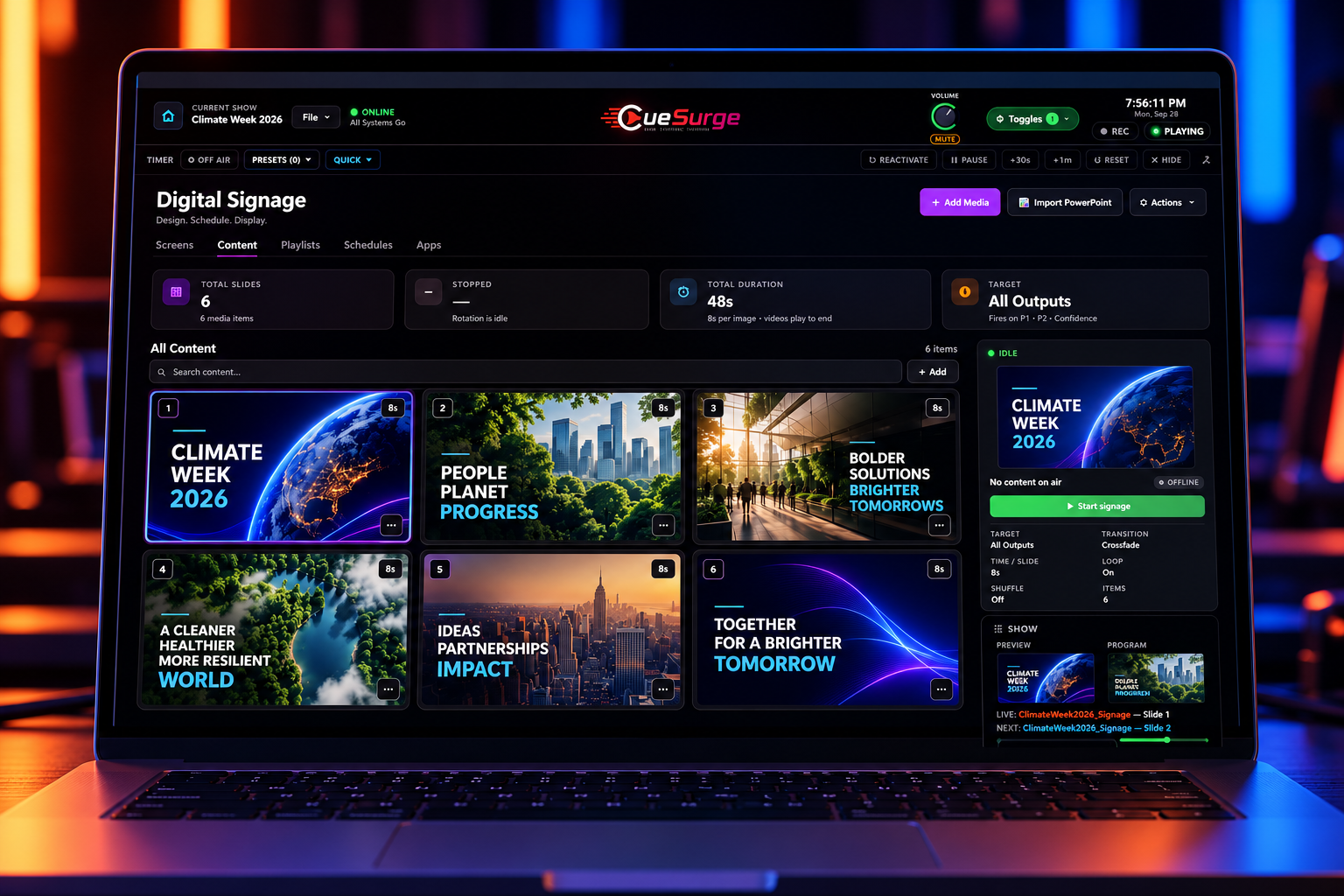
Digital Signage
Rotate images and videos on every output or on just one — Program 1, Program 2, or Confidence. Set the time per slide, pick from six transitions, loop or shuffle, and let videos play to the end. Start the rotation from the cue list or the iPad remote, and it hands the screens back cleanly when the show resumes.
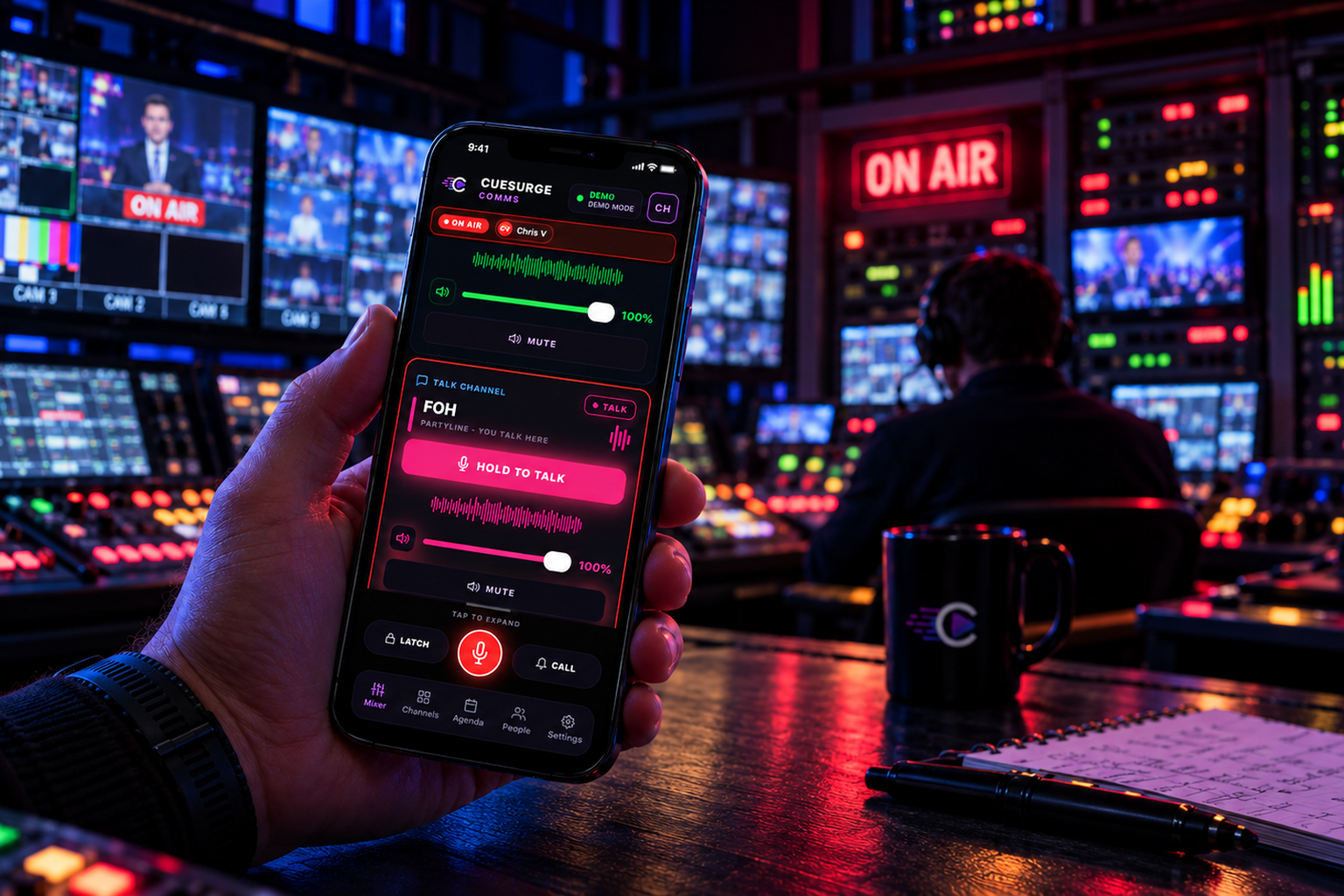
CueSurge Comms — now available on iOS
Crew intercom on iPhone. A free App Store download that pairs with your CueSurge desktop over Wi-Fi — scan the pairing QR, pick your channel, and hold to talk. Program-audio duck, a live agenda mirror, and the ON-AIR ribbon are built in. Everything stays on your LAN: no accounts, no cloud, no subscription.
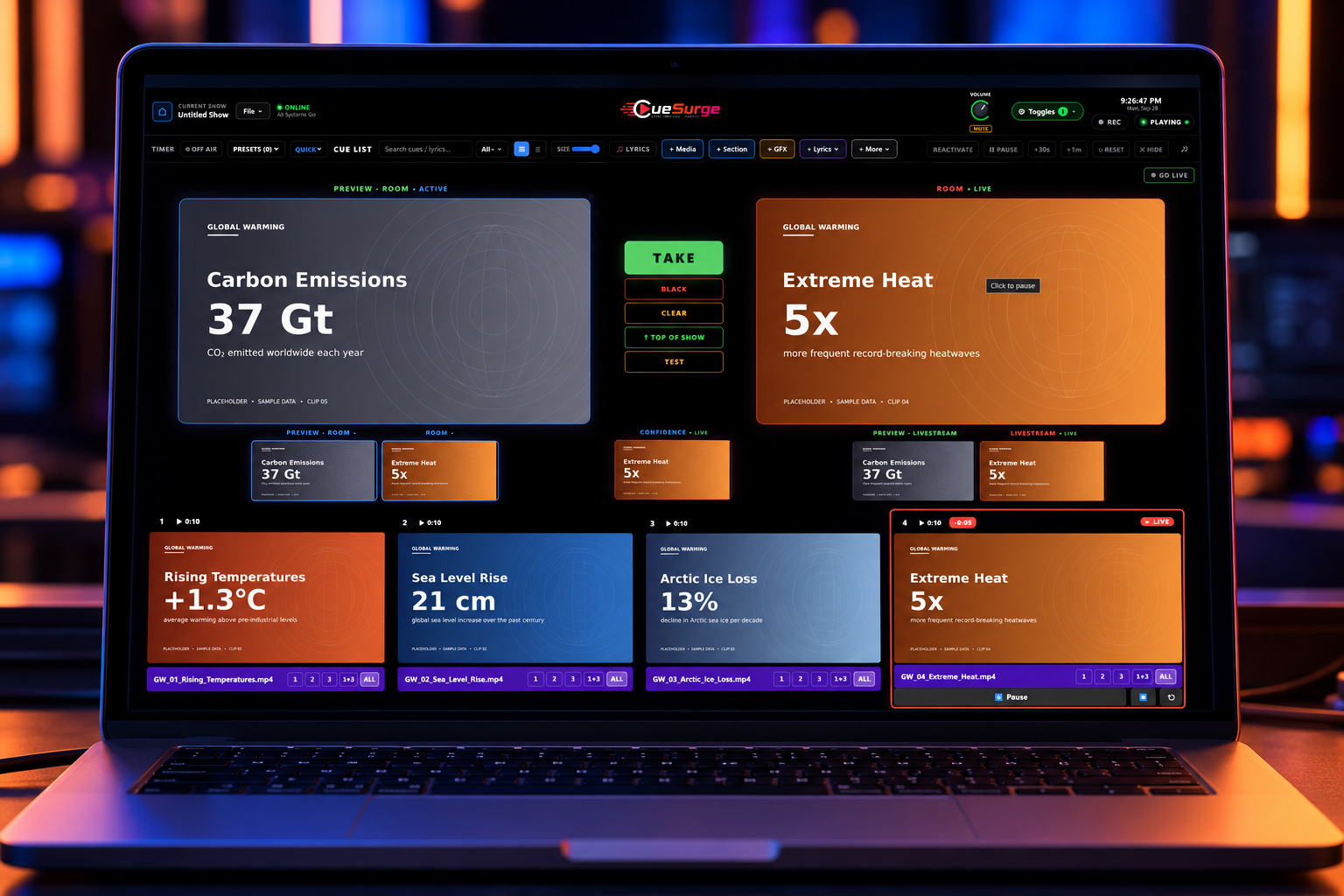
Pro Video & Slide Playback
Hardware-decoded video to dedicated outputs. Per-cue crossfades, trim handles, speed, gain, loop, and independent audio routing. Slide decks import from PDF, PowerPoint, or any image.
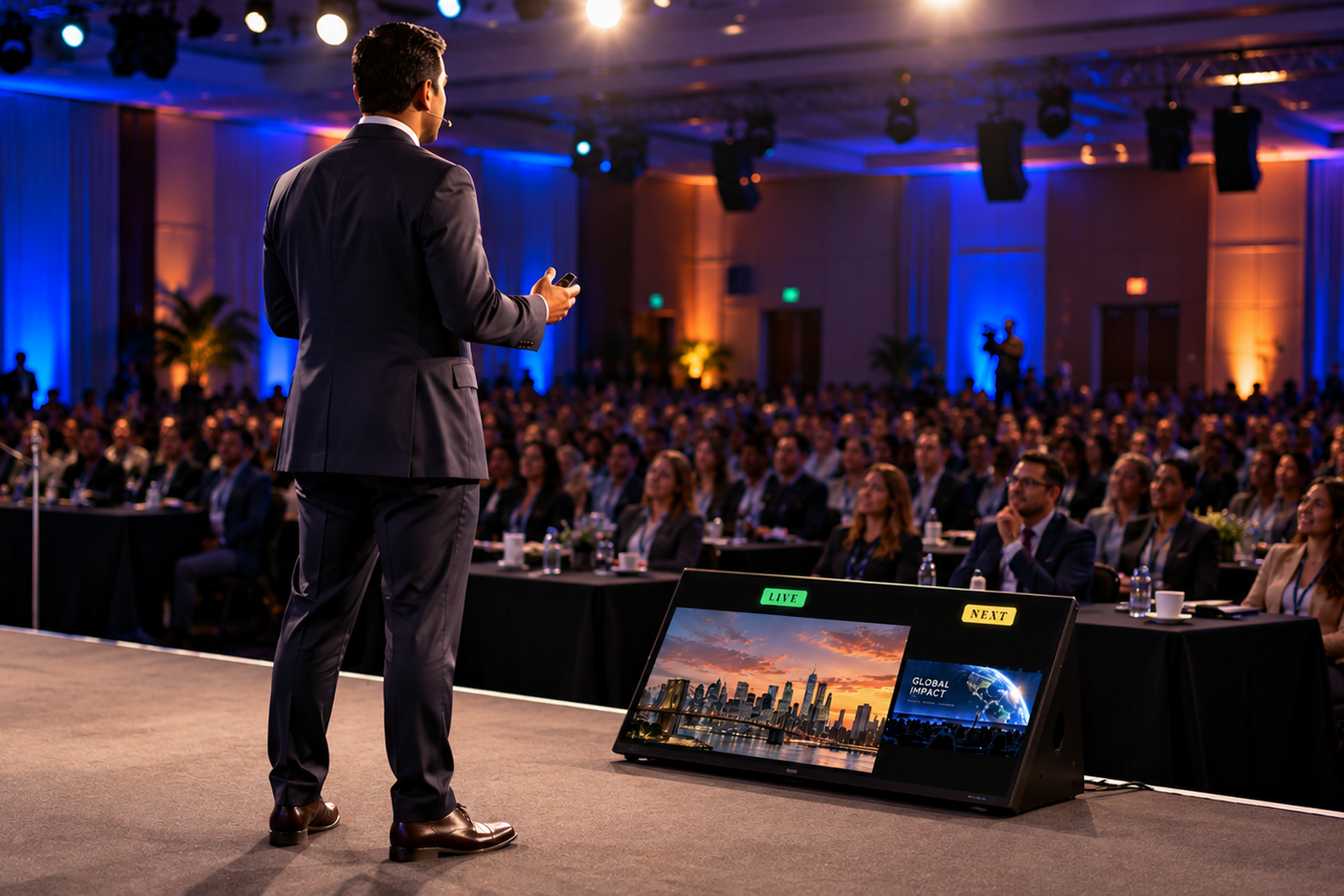
Confidence Monitor
A dedicated Confidence output for the stage monitor. Presenters see what is live and what is next, plus a countdown timer that glows when they run over — and you can flip it to the teleprompter script with one click. It runs on its own output, so the audience screens never show it.
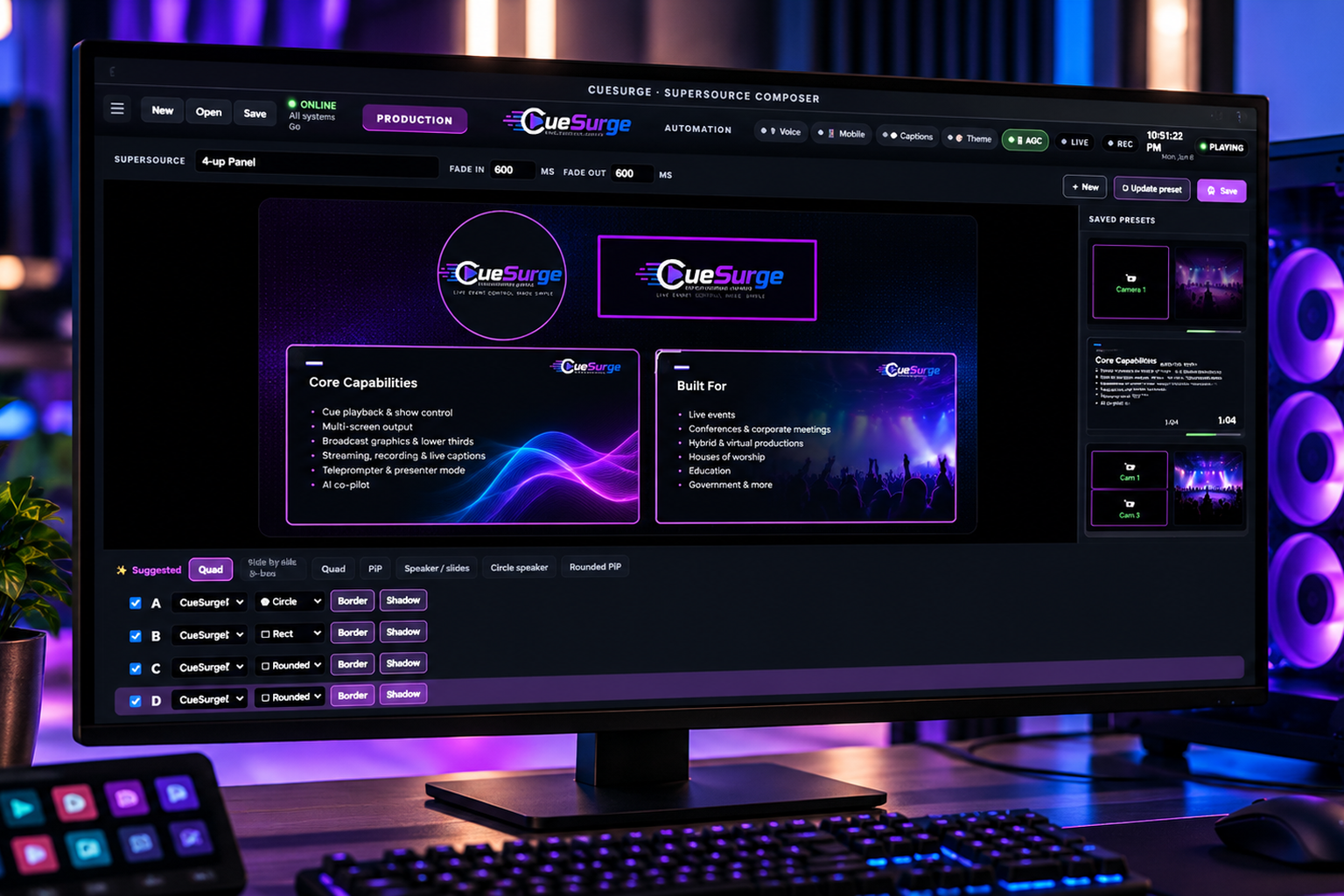
SuperSource Composer
Drag-resize live sources, slides, and program feeds into a single composition. Picture-in-picture, 2-up, 4-up panels — save layouts as presets and recall them as cues.
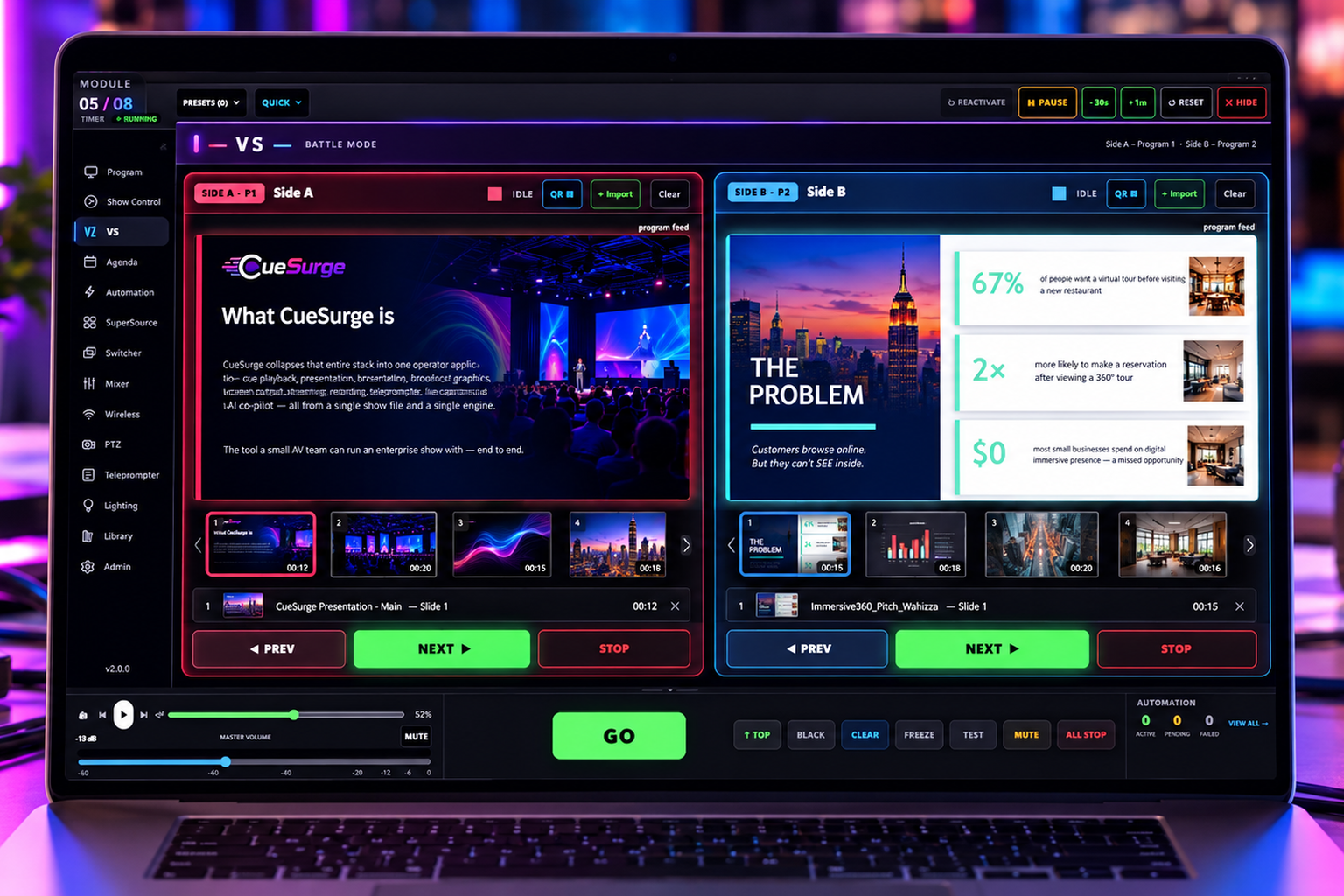
VS Battle Mode
Side-by-side dual-program mode for band battles, debate stages, and A/B pitch shootouts. Two independent slide decks + PREV / NEXT / STOP per side, live program feeds, and a QR-code hand-off so each team drives their own side from a phone.
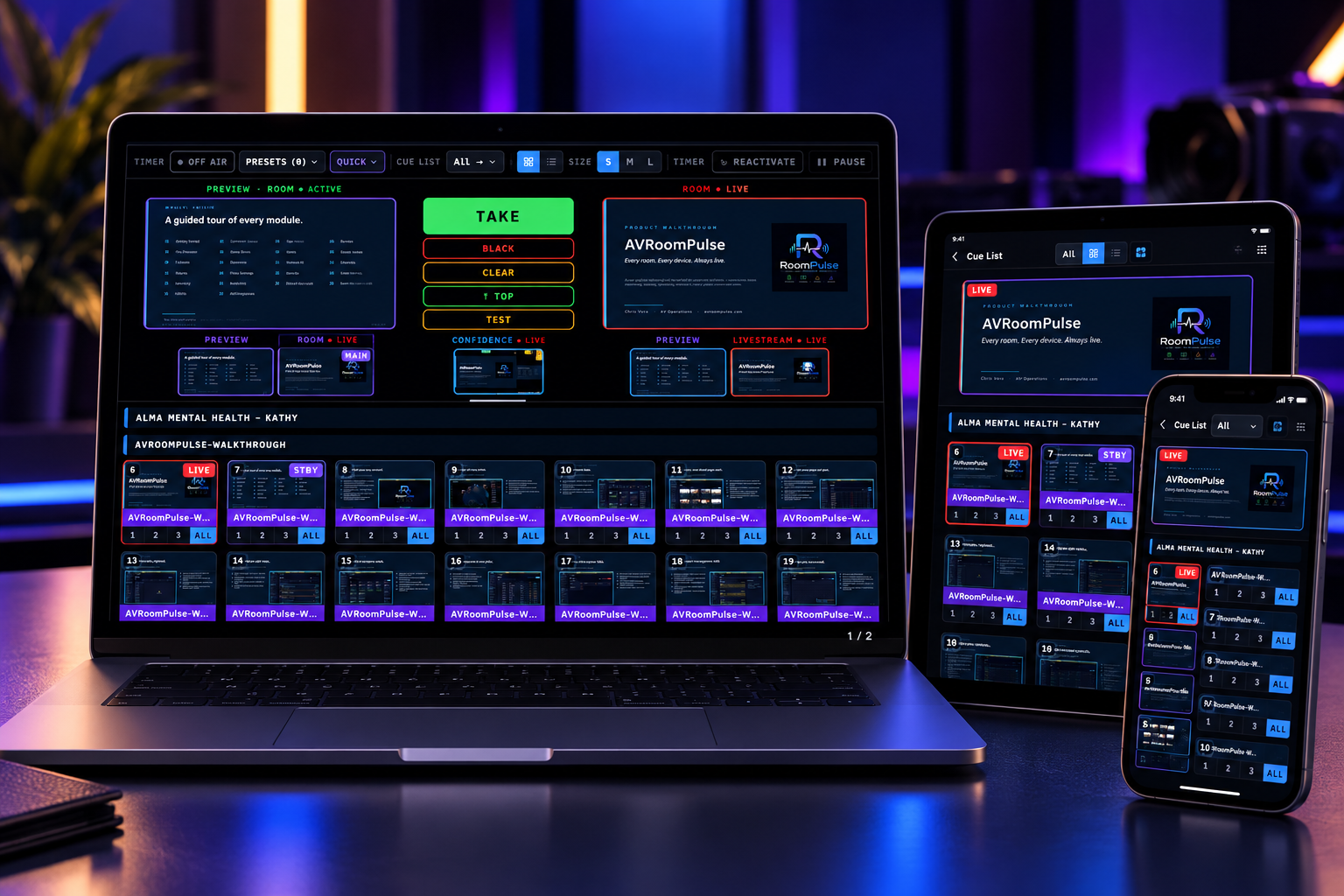
QR Remote — instant hand-off
Scan a QR code from the operator window and the phone or iPad becomes a controller. Two roles — Phone (compact GO / STOP / cue list) or iPad (cue list + per-program transport + Graphics + ATEM). PIN-gated, LAN-only, no accounts, no cloud. Hand a producer an iPad and walk away.
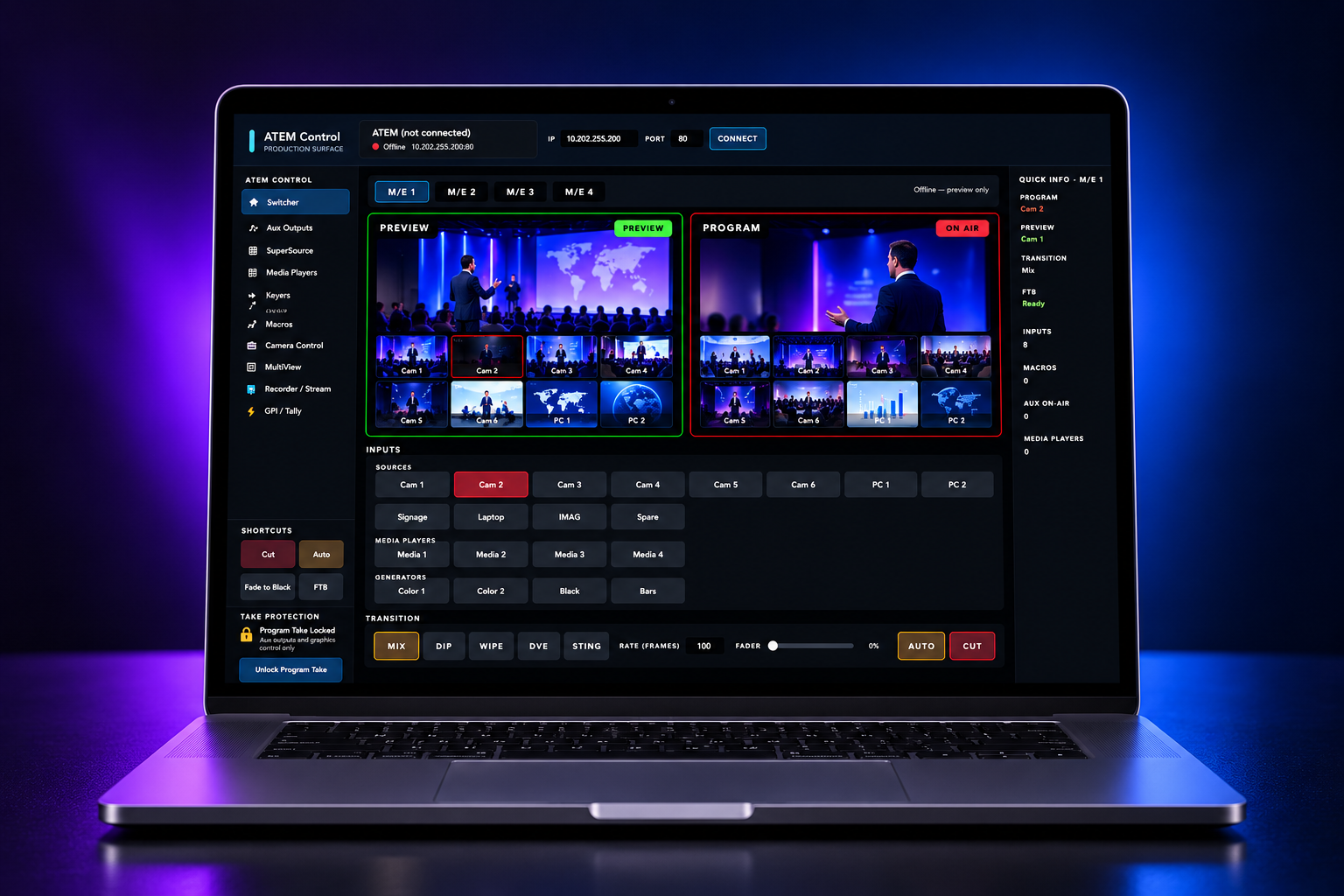
Switcher Control
Direct Blackmagic ATEM control over IP. Program / Preview tiles, transition style + rate, AUX routing, USK / DSK keyers, macros, and fader bar — drive it from the operator window or from cues.
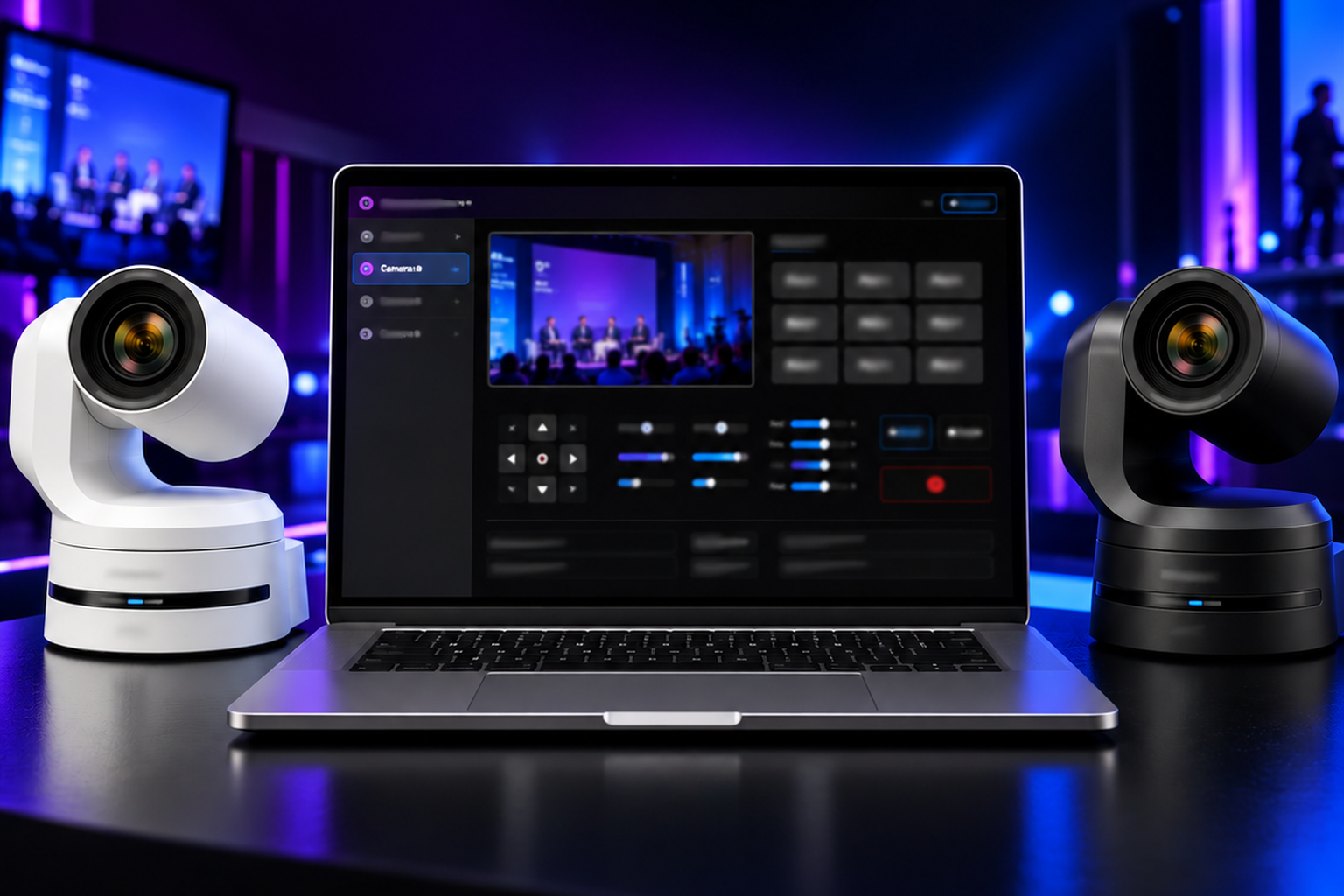
PTZ Camera Control
Panasonic AW-UE, Sony VISCA, and PTZOptics cameras. Joystick + 9 presets per camera, live snapshot preview, and per-camera profiles. Fire camera moves from the cue list.
One price. Every feature.
No tiers. No per-cue fees. One license per computer — every operator gets the whole rig, from cue engine to AI. 30-day free trial — card to start, no charge until day 30.
- ✓30-day free trial
- ✓Every feature unlocked
- ✓Every update in your term
- ✓One license per computer
- ✓Move licenses between machines
- ✓Cancel before day 30, pay nothing
Ready to run your next show?
Download the Windows installer, open your first show file, fire your first cue. Everything else flows from there.